Create Perfect Image Galleries with TileFlow

A powerful tool for creating beautifully tiled image layouts with customizable rows, spacing, and export options.
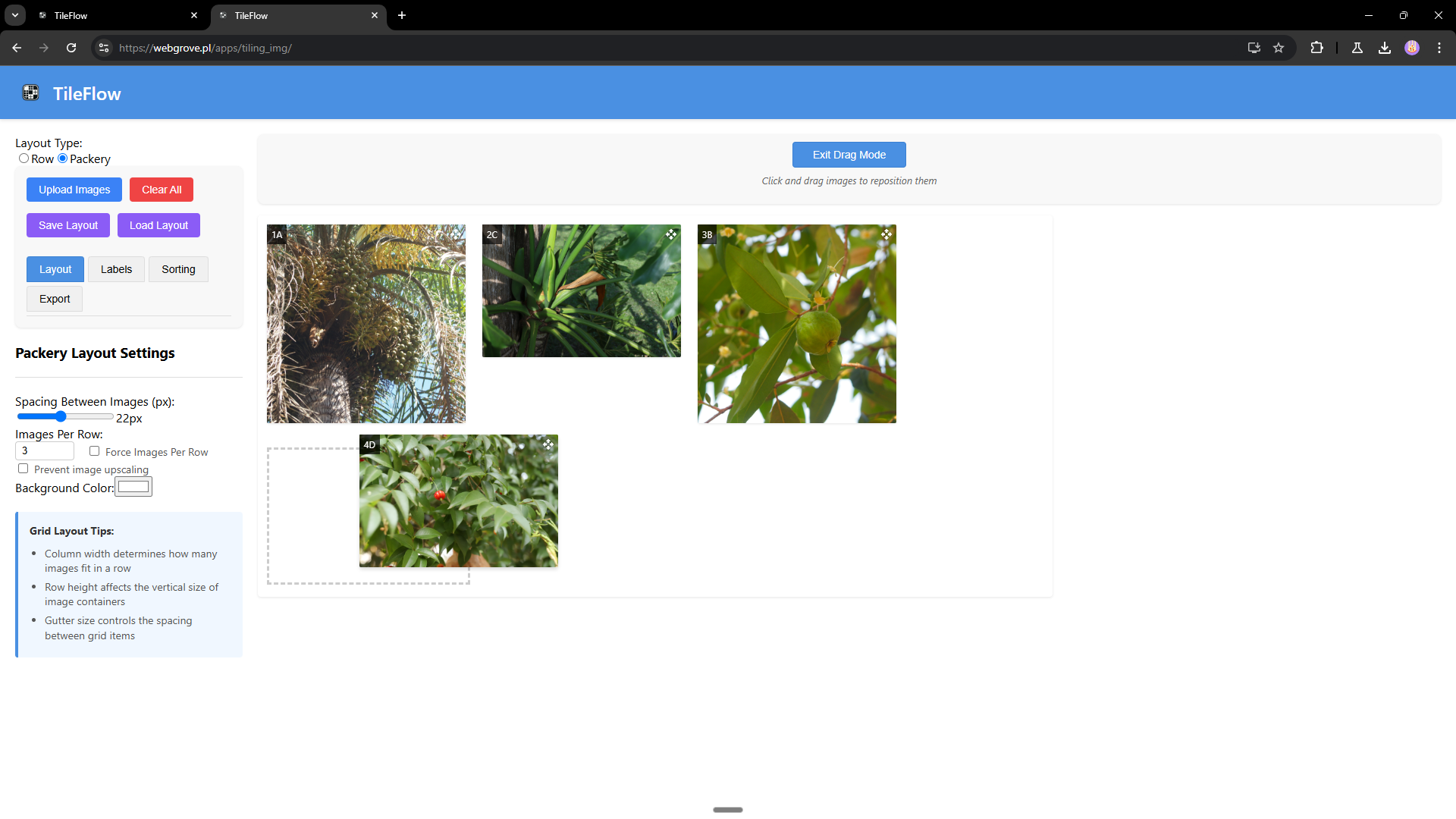
TileFlow Application Interface

Powerful Features

Row-Based Layout Engine

Create image grids with customizable row heights and spacing for perfect gallery presentation.

Smart Layout Options

Automatic layout calculation with options for last row behavior to match your design needs.

Image Management

Easily upload, arrange, and remove images with an intuitive drag-and-drop interface.

Custom Labels

Add and edit labels for each image with customizable styling options.

Flexible Sorting

Sort images by label, filename, or image size with ascending or descending options.

Advanced Export

Save your entire gallery as a single high-quality image with adjustable DPI for any use case.

Customize Your Gallery

Fine-Tune Your Layout

  • Row Height: Adjust the target height for image rows
  • Images Per Row: Force a specific number of images in each row
  • Spacing Controls: Set precise spacing between images and rows
  • Last Row Behavior: Choose how the final row should be displayed
  • Upscaling Prevention: Maintain image quality by preventing image upscaling
Layout Settings Interface

Customizable Labels

  • Toggle Labels: Show or hide image labels
  • Font Customization: Adjust font size and color
  • Background Control: Change label background color and opacity
  • Spacing Adjustment: Fine-tune label padding
Label Settings Interface

Organize Your Gallery

  • Label Name: Alphabetical sorting by custom labels
  • File Name: Sort by original filenames
  • Image Size: Arrange by image dimensions
  • Sort Direction: Toggle between ascending and descending order
Sorting Options Interface

Professional Export Options

  • Resolution Control: Adjust DPI settings for different use cases
  • Presets: Quick settings for web, basic print, quality print, and professional printing
  • Configuration Save: Save your layout settings for future use
Export Options Interface

Getting Started

Try It Online

Experience TileFlow instantly without any installation:

Launch TileFlow

Installation

# Clone the repository
git clone https://github.com/yourusername/tileflow.git

# Navigate to the project directory
cd tileflow

# Install dependencies
npm install

# Start the development server
npm start

Technical Details

React React
CSS CSS
Canvas API Canvas API
Packery Packery
Draggabilly Draggabilly

Want to Contribute?

TileFlow is open source! We welcome contributions from the community.

Fork on GitHub

Ready to Create Beautiful Image Galleries?

Try TileFlow Now